
CADcompiler — DXF nesting software for sheet metal laser cutting

From Sheet to Shape

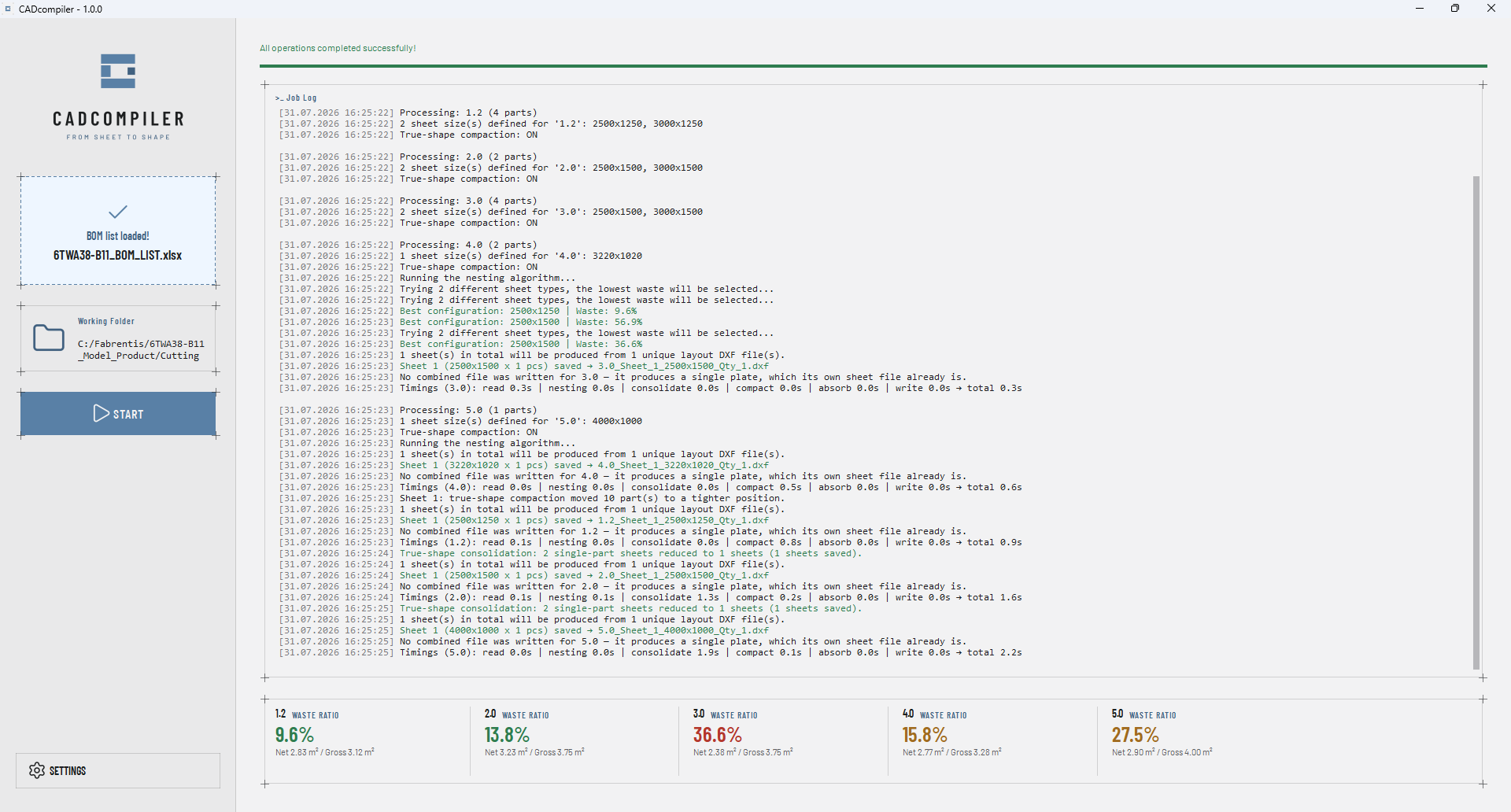
The CADcompiler desktop application after a completed run, showing the job log and the waste ratio for each thickness group.
CADcompiler

What it does

Turn your Excel production plan into a cut-ready DXF nesting layout.

CADcompiler is a CAD nesting tool and automatic layout software that automates sheet metal nesting for laser-cutting manufacturing. Drop in your BOM (Excel production plan); CADcompiler reads the parts by thickness group, places them onto sheets, and generates production-ready master layouts and individual DXF files for you.

Key features

Precise. Efficient. Clear. Reliable.

01 — Precise

Beyond the Bounding Box

Most nesting tools place parts by their bounding boxes; even when boxes touch, usable space is left between the actual shapes. CADcompiler adds a true-shape compaction layer on top of that initial layout: it slides parts along their real contours toward their neighbours and tries fitting still-waiting parts into the space that opens up. For convex and mildly concave shapes — the overwhelming majority of laser-cutting jobs — it finds the true maximum slide; for deeply interlocking geometries, it delivers a reliable approximation.

A CADcompiler master layout DXF opened in AutoCAD, showing parts nested along their true contours on a 2500 by 1250 millimetre sheet.
Master layout DXF — parts compacted along their true contours.

02 — Efficient

Optimized for Your Job

Not every production run has the same goal. CADcompiler offers three nesting priorities: Balanced (the default trade-off), Waste Priority (maximizes material usage), and Program Priority (reduces the number of sheets/cutting programs). A chosen strategy is only applied once it's verified to actually beat the balanced baseline — the optimization claim is checked against its own result every time.

The CADcompiler settings dialog listing sheet definitions in millimetres by thickness, length and width.
Sheet definitions — thickness, length and width, per stock size.

03 — Clear

From Plan to File, One Flow

Drag your Excel BOM into the app; CADcompiler automatically separates thickness groups and generates both a master layout and individual DXF files, complete with part numbers and rotation logic.

The CADcompiler main window with an Excel BOM list loaded and the working folder set, ready to start.
BOM loaded, working folder set — one action left.

04 — Reliable

The Details a Shop Floor Trusts

Every nesting plan passes through an independent final validation layer before it's accepted: no overlapping parts, inventory is preserved. Files are written atomically, so there's no risk of a half-finished save. License activation is tied to machine ID, carrying that same reliability into deployment and everyday use.

The CADcompiler job log reporting a run in which a problem was found, stated plainly in the log.
When something is wrong, the log says so — plainly.

Inside the application

One window, start to finish.

After: the same window when the run has finished, every step written to the job log.
Launch. Drop area waits for the BOM. Finish. Layouts and DXF files written.

From sheet to shape — one step from plan to cut.

Try CADcompiler and get your first nesting layout in minutes.

Get in touch